How can we help?
-
Gift Vouchers
-
Event Ticketing
-
- Event Dates
- Event Time Display
- Export Waitlist Guests
- How can I change amount of tickets available?
- How do I add an event date to existing event?
- How do I set an event date as sold out?
- How to add a PDF Menu
- How to add an Abandoned Cart Message?
- How to add Event Tags
- How to add Event Testimonials
- How to create event ticket add-ons
- How to move a customer's order to a different date
- How to set a Refund Cutoff
- How to set Event Capacity
- How to set maximum tickets sold per order
- How to set up Event Locations
- How to Up Sell (You may also like)
- Remove all Events from What's On Page
- Ticket Types
- Show Remaining Articles (4) Collapse Articles
-
-
General
Point+Click Helpdesk Tickets
If you run in to any issues, either in the CMS or your client facing website, you can easily create a helpdesk ticket which will also send us screenshots and videos using Point&Click.
Simply click on the camera or video icons to get started. When you first login there is a guide, which can also be viewed at any time by clicking on the question mark icon.
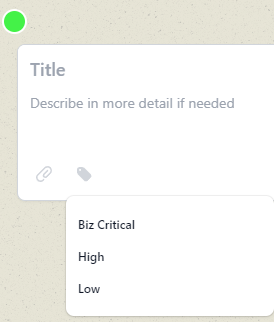
To set a ticket priority the tag icon needs to be clicked and a priority selected. If none is selected the priority is set to ‘low’.
The Point&Click icon tab is shown on your website but only for any team member whilst logged in to the CMS. The general public will not have access or see these icons.